Most beginners enter the AI world feeling overwhelmed almost immediately.
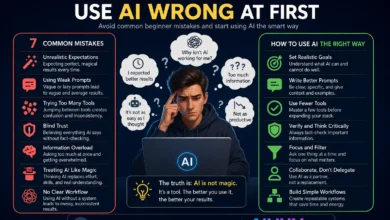
Everywhere you look, someone recommends another “must-have” tool.
One app writes content. Another organizes notes. A different platform summarizes research. Suddenly, productivity starts looking more confusing than helpful.
That situation happens constantly now.
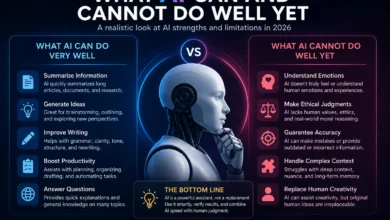
Funny enough, most beginners do not actually need dozens of AI tools.
Usually, a small group of reliable tools handles nearly everything people use daily.
Quick Overview:
- Most beginners only need a few reliable AI tools.
- Free AI tools are often powerful enough initially.
- Good workflows matter more than collecting apps.
- Simple AI systems usually stay sustainable longer.
- The best beginner tools focus on practical everyday tasks.
Popular Free AI Tools Compared
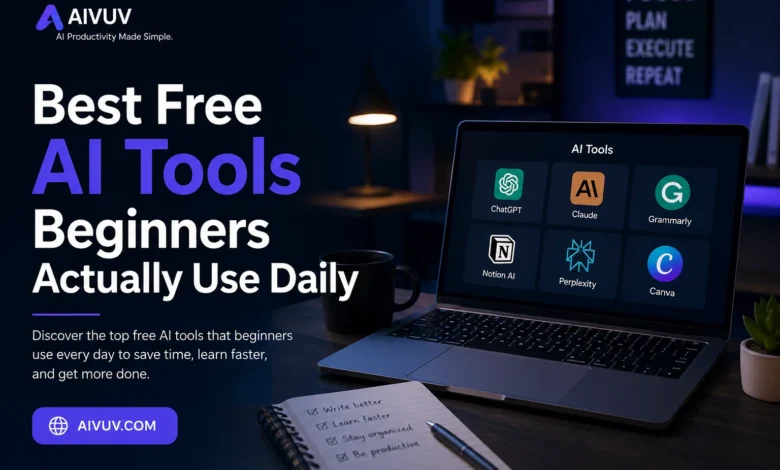
| AI Tool | Best For | Free Plan |
|---|---|---|
| ChatGPT | Writing & Productivity | Yes |
| Claude | Research & Long Explanations | Yes |
| Grammarly | Grammar & Editing | Yes |
| Notion AI | Organization & Notes | Limited |
| Perplexity AI | Research & Search | Yes |
| Canva AI | Design & Visual Content | Yes |
Why Beginners Get Overwhelmed By AI Tools So Quickly
The AI space moves incredibly fast right now.
New apps appear almost every week.
Social media makes the situation even noisier because every creator seems to recommend different productivity systems constantly.
Beginners often assume they need all of them.
Usually, they do not.
Most daily AI workflows revolve around a surprisingly small set of tasks:
- Writing
- Research
- Organization
- Studying
- Brainstorming
- Summarization
Once people realize that, choosing tools becomes much easier.
1. ChatGPT
For most beginners, ChatGPT becomes the first real introduction to AI tools.
That makes sense.
It handles an enormous range of tasks reasonably well:
- Writing assistance
- Brainstorming
- Research summaries
- Study help
- Idea generation
- Productivity support
The biggest advantage is flexibility.
Beginners can experiment with different use cases without learning complicated systems immediately.
Honestly, many people still use ChatGPT daily even after testing dozens of other AI apps.
Best Beginner Use Cases:
- Learning new topics
- Writing assistance
- Task organization
- Quick summaries
- Brainstorming ideas
2. Claude
Claude became surprisingly popular among students, writers, and researchers recently.
Many users prefer it for longer explanations and cleaner writing flow.
Compared to some AI tools, Claude often feels calmer and more structured during long conversations.
That difference sounds small initially.
It becomes noticeable quickly during research-heavy tasks.
Many beginners also like how Claude handles large documents and PDFs.
3. Grammarly
Grammarly existed long before the current AI boom.
Its newer AI features made it far more useful for everyday writing workflows.
Students, freelancers, bloggers, and office workers use Grammarly constantly because writing mistakes become harder to notice during long work sessions.
The tool helps improve:
- Grammar
- Clarity
- Tone
- Sentence flow
- Readability
It does not magically transform weak writing into brilliant writing.
Still, it removes a surprising amount of editing friction.
4. Notion AI
Organization becomes difficult for many beginners once information starts piling up everywhere.
Notes scatter across apps. Tasks disappear. Research gets lost inside random folders.
Notion AI helps reduce some of that chaos.
Many users build lightweight productivity systems inside Notion because the platform combines:
- Notes
- Task management
- Databases
- AI assistance
- Planning tools
At first, the interface can feel slightly overwhelming.
Once organized properly, though, workflows often become much cleaner.
5. Perplexity AI
Perplexity feels different from traditional AI chatbots.
Instead of only generating responses conversationally, it focuses heavily on search and research.
That becomes extremely useful for beginners trying to:
- Research topics quickly
- Find sources
- Summarize information
- Explore unfamiliar subjects
One reason many users prefer Perplexity is transparency.
The platform usually shows where information comes from instead of hiding sources completely.
Good AI tools should reduce friction, not create additional digital clutter.
6. Canva AI
Design used to feel intimidating for many beginners.
Canva changed that long before AI became mainstream.
Its newer AI features made content creation much faster for:
- Social media graphics
- Presentations
- Thumbnails
- Marketing visuals
- Simple branding
Most beginners appreciate Canva because the learning curve stays relatively manageable compared to professional design software.
Why Most Beginners Do Not Need Paid AI Tools Immediately
This surprises many people entering the AI space.
Free plans are often powerful enough initially.
Most beginners simply do not need advanced enterprise-level features during the learning phase.
Trying too many paid subscriptions too early usually creates unnecessary complexity and expense.
Starting simple works better most of the time.
How Beginners Should Actually Choose AI Tools
Instead of collecting dozens of apps immediately, beginners usually benefit more from asking simpler questions:
- What problem am I solving?
- What tasks repeat daily?
- What creates the most friction?
- What workflow feels easiest to maintain?
That approach prevents “tool overload,” which happens surprisingly often in the AI space.
The Best AI Systems Usually Stay Lightweight
Many experienced users eventually simplify their workflows after testing countless tools.
That pattern appears constantly.
Instead of managing ten complicated platforms, many people settle into smaller systems built around:
- One writing assistant
- One research tool
- One organization platform
- One lightweight workflow
Simple systems survive longer because they create less mental overhead.
Useful Resources
Final Thoughts
The best free AI tools for beginners are not necessarily the most advanced or expensive ones.
Usually, the strongest tools are simply the ones people continue using consistently.
ChatGPT, Claude, Grammarly, Notion AI, Perplexity, and Canva already cover most beginner needs surprisingly well.
Writing. Research. Productivity. Organization. Brainstorming.
Most daily workflows become manageable with just a few reliable tools instead of endless experimentation.
Funny enough, many experienced users eventually return to simpler setups after trying overly complicated productivity systems for months.
Not because AI lacks value.
Because sustainable workflows matter more than collecting every new app that appears online.
Frequently Asked Questions
What is the best free AI tool for beginners?
ChatGPT remains one of the most popular beginner AI tools because it handles writing, brainstorming, productivity, and learning tasks effectively.
Do beginners need paid AI subscriptions?
Usually not. Free plans are often powerful enough for most beginners during the learning phase.
Which AI tool is best for research?
Many users prefer Perplexity AI for research because it provides source-based answers and quick topic summaries.
Can AI tools improve productivity?
Yes. AI tools can reduce repetitive work and improve organization when used with clear workflows and realistic expectations.
What mistake do most beginners make with AI tools?
Many beginners adopt too many tools simultaneously instead of building one simple sustainable workflow first.